Talk Home gives you full control over your account, including the ability to request account deletion directly from either:
- The Talk Home App (mobile application)
- The Talk Home Web Dashboard
You do not need to contact customer support separately. The account deletion process can be completed directly from your account settings.
Before deleting your account, please make sure you understand what happens after submitting your request.
Before You Delete Your Account
Deleting your Talk Home account is a permanent action.
Before continuing:
- You will lose access to your Talk Home account and associated data.
- Your deletion request cannot be undone once submitted.
- Your account and associated data will be removed from Talk Home systems within 7 days.
- The same phone number cannot be used to create a new Talk Home account for 30 days after deletion.
- The 30-day waiting period is applied for security reasons.
If you are sure you want to continue, follow the steps below depending on the platform you use.
Option 1: Delete Your Account Through the Talk Home App
If you use the Talk Home mobile application, you can request account deletion directly from the My Account section.
Step 1: Open My Account
Open the Talk Home App and go to My Account.
Your account page contains your profile information, including:
- Name
- Email address
- Date of birth
- Registered mobile number
Scroll down until you see the Delete Account option.
Tap Delete Account to begin.
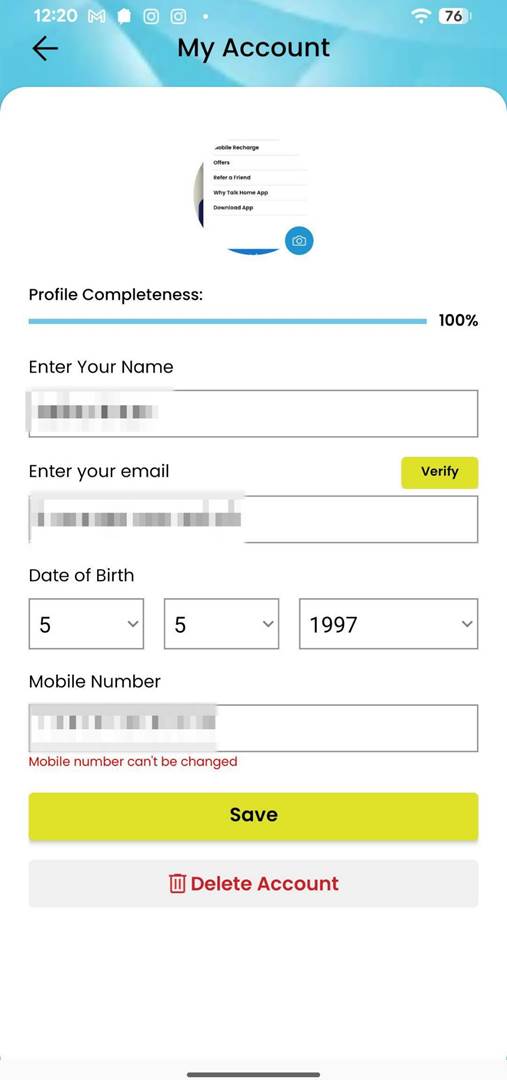
Open My Account and select Delete Account.
Step 2: Confirm Your Account Deletion Request
After selecting Delete Account, you will see a confirmation message explaining that deleting your account means losing access to your data.
To continue, you will need to verify your request using your account PIN.
If you do not want to continue, select Cancel.
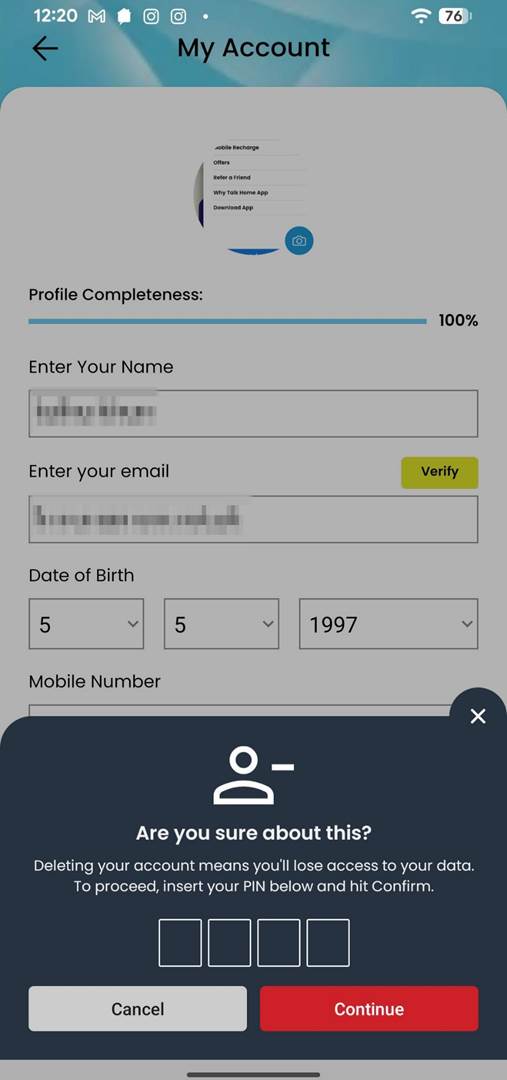
Confirm that you want to proceed with account deletion.
Step 3: Enter Your PIN
Enter your 4-digit account PIN in the verification field.
Once entered, select Continue.
This security step confirms that the deletion request is being made by the account owner.
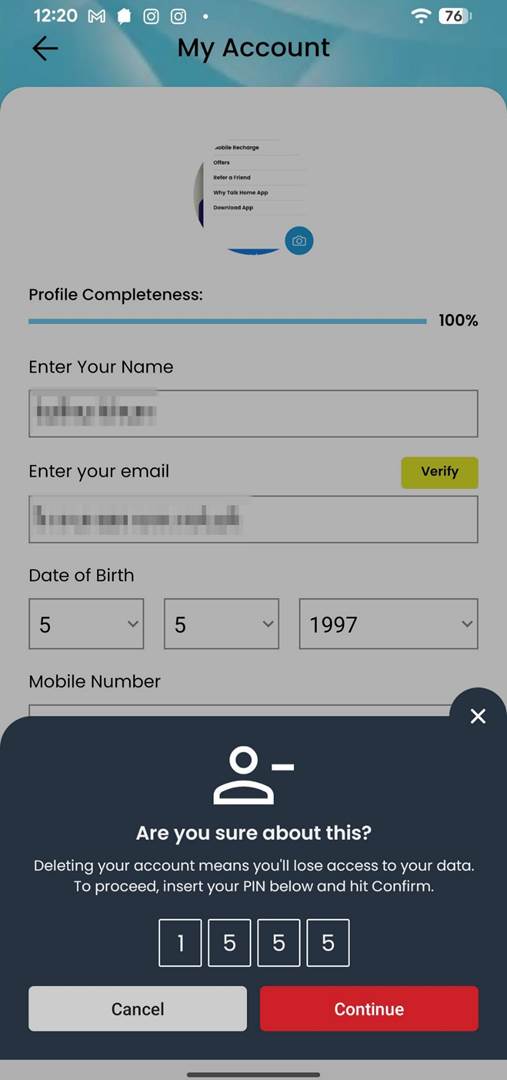
Enter your 4-digit PIN to verify your account deletion request.
Step 4: Select Your Reason for Leaving
After verification, you will be asked why you want to delete your account.
You can choose from the following options:
- I found better calling rates elsewhere
- The app is not functional
- Call quality is below par
- Mobile top-up is not working
- I no longer require this service
- I believe I was overcharged
- Other
If you choose Other, you can provide additional feedback in the comments box.
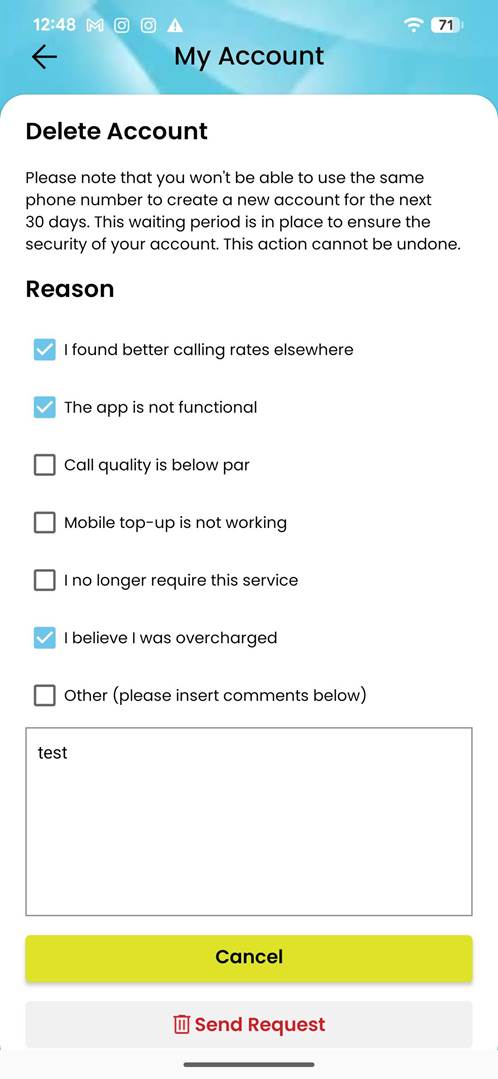
Select your reason for deleting your account and provide additional feedback if required.
Step 5: Submit Your Request
After selecting your reason, tap Send Request.
Your account deletion request will then be submitted.
Once submitted, the deletion process cannot be reversed.
Step 6: Deletion Confirmation
After successfully submitting the request, you will receive a confirmation message.
The message confirms that:
- Your deletion request has been received.
- Your account and associated data will be removed within 7 days.
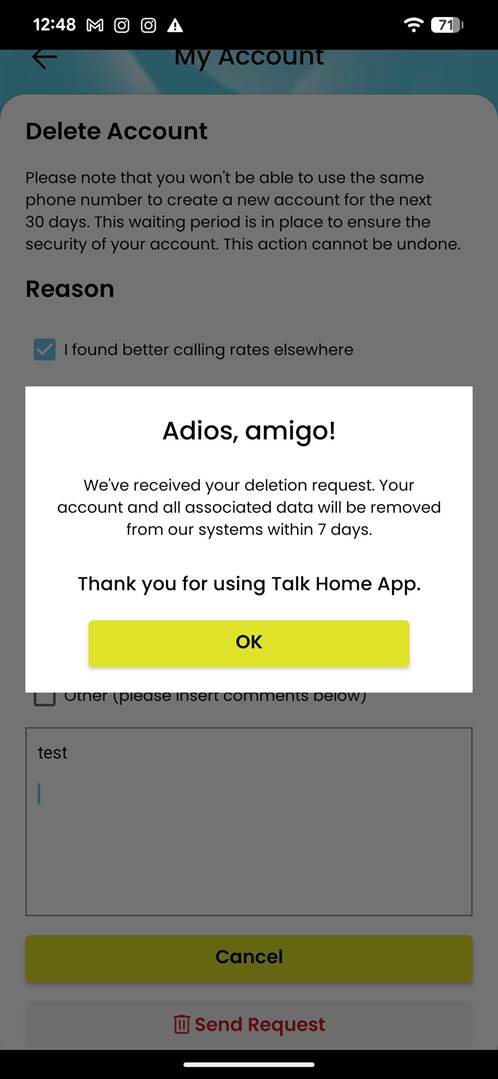
Your account deletion request has been successfully submitted.
Option 2: Delete Your Account Through the Talk Home Web Dashboard
If you access Talk Home through the web dashboard, you can follow these steps.
Step 1: Open Profile & Settings
Log in to your Talk Home account dashboard.
From the left-hand menu, select:
Profile & Settings
This section contains your account information and security options.
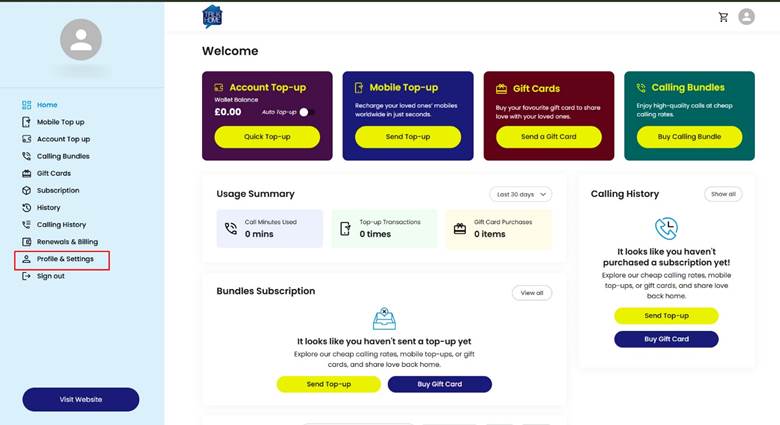 Open Profile & Settings from your Talk Home dashboard.
Step 2: Select Delete Account
Inside the Profile section, scroll down until you find:
Delete Account
Select this option to start the deletion process.
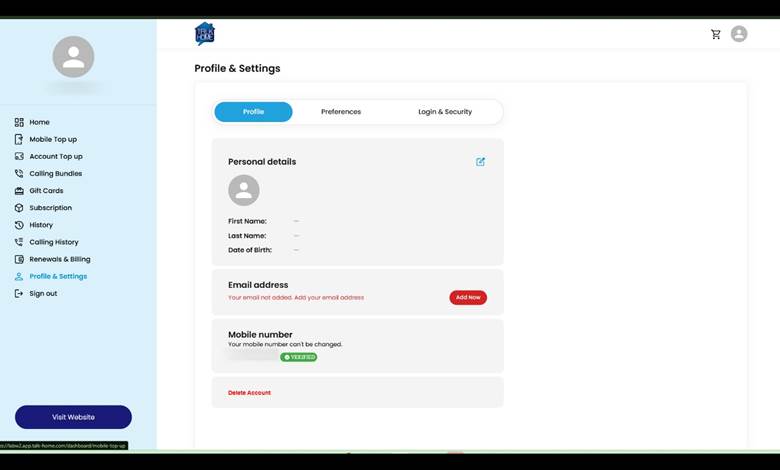
Select Delete Account from the Profile & Settings page.
Step 3: Confirm Your Request Using Your PIN
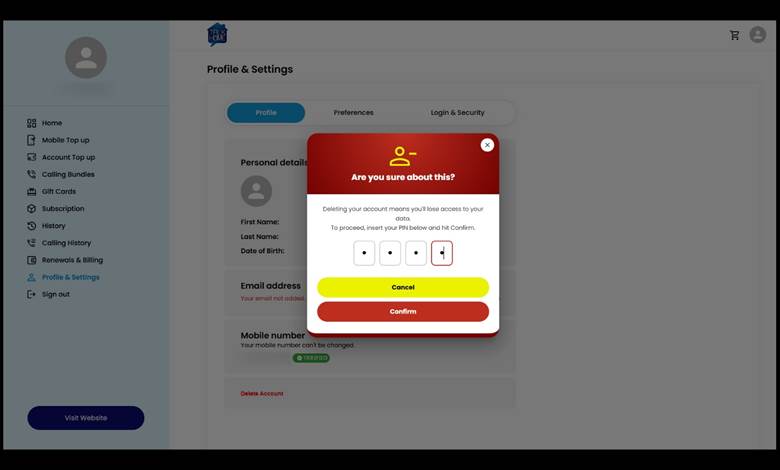
A confirmation window will appear asking you to verify your identity.
Enter your 4-digit PIN and select Confirm.
You can select Cancel if you no longer want to continue.
Enter your PIN to confirm the account deletion request.
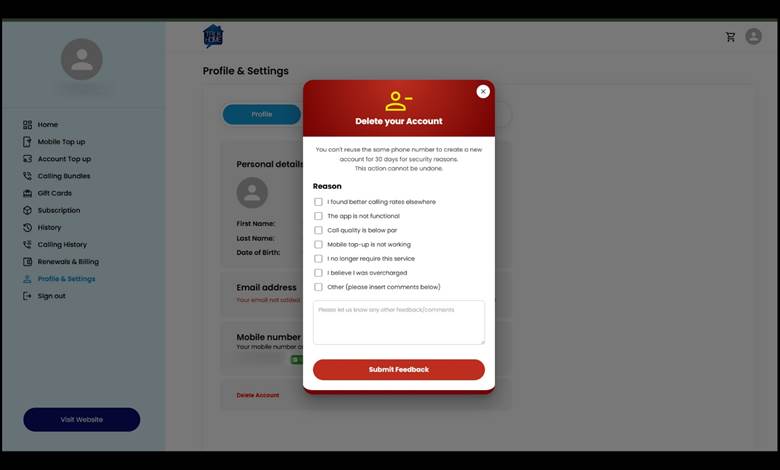
Step 4: Select Your Reason for Leaving
You will then be asked to provide a reason for deleting your account.
Available options include:
- I found better calling rates elsewhere
- The app is not functional
- Call quality is below par
- Mobile top-up is not working
- I no longer require this service
- I believe I was overcharged
- Other
You can also add additional comments to explain your experience.
Choose your reason for deleting your account and submit feedback.
Step 5: Receive Confirmation
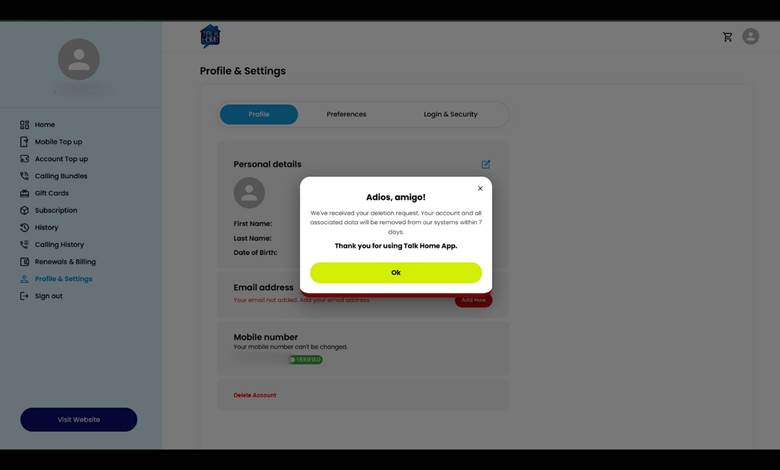
After submitting your request, you will see a confirmation message.
Your account and associated data will be removed from Talk Home systems within 7 days.
Confirmation message after submitting your deletion request.
What Happens After Account Deletion?
After your request is submitted:
- Talk Home begins processing your deletion request.
- Your account and associated data will be removed within 7 days.
- You will lose access to your Talk Home account.
- Your phone number cannot be used to create another Talk Home account for 30 days.
Can I Cancel My Account Deletion Request?
You can cancel the process before submitting the final request.
For example:
- On the Talk Home App, select Cancel before completing the deletion process.
- On the Web Dashboard, close the confirmation window or select Cancel before submitting.
However, once the deletion request has been successfully submitted, it cannot be undone.
Quick Summary
Talk Home App
My Account → Delete Account → Confirm → Enter PIN → Select Reason → Send Request
Web Dashboard
Dashboard → Profile & Settings → Delete Account → Enter PIN → Select Reason → Submit Feedback
Both methods allow you to securely manage your account deletion directly without contacting support.
Was this article helpful?
That’s Great!
Thank you for your feedback
Sorry! We couldn't be helpful
Thank you for your feedback
Feedback sent
We appreciate your effort and will try to fix the article