Signing up to the Talk Home App is quick and simple. Follow the steps below to enter your mobile number, accept the terms, confirm your details, and verify your number using the SMS code sent to your phone.
Step 1: Enter your mobile number
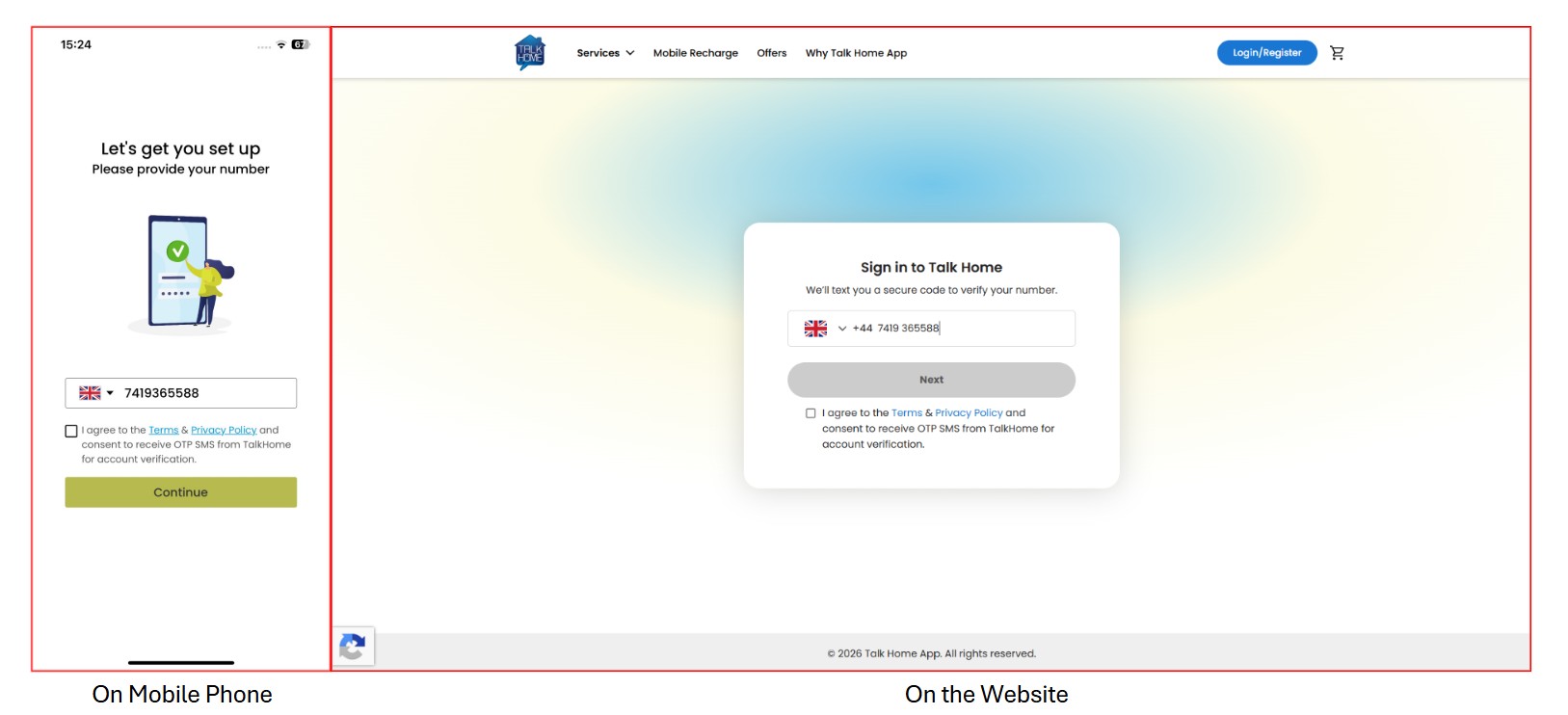
Open the Talk Home App signup screen. Select your country code using the flag dropdown, then enter your mobile number.
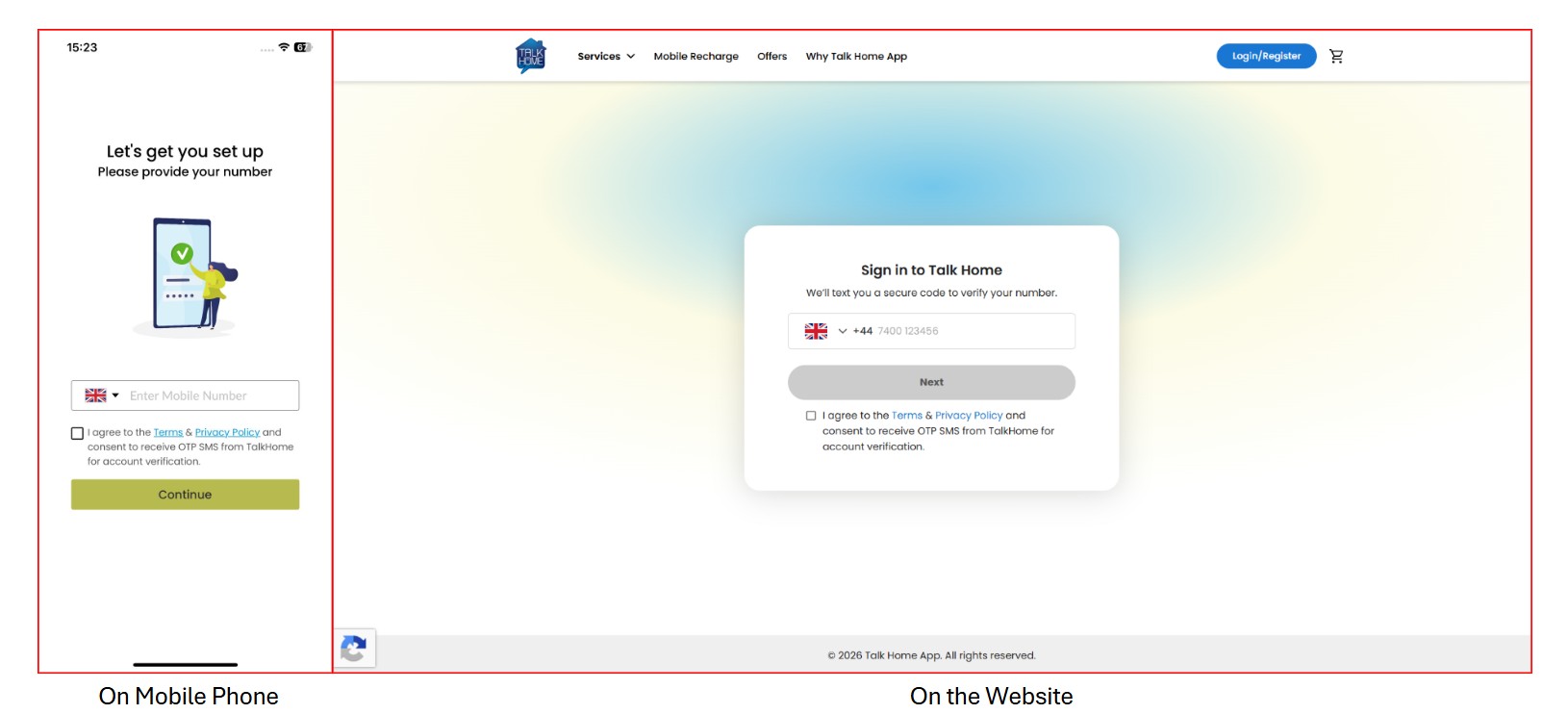
For a UK number, use +44 and enter the number without the first 0.
Step 2: Accept the terms
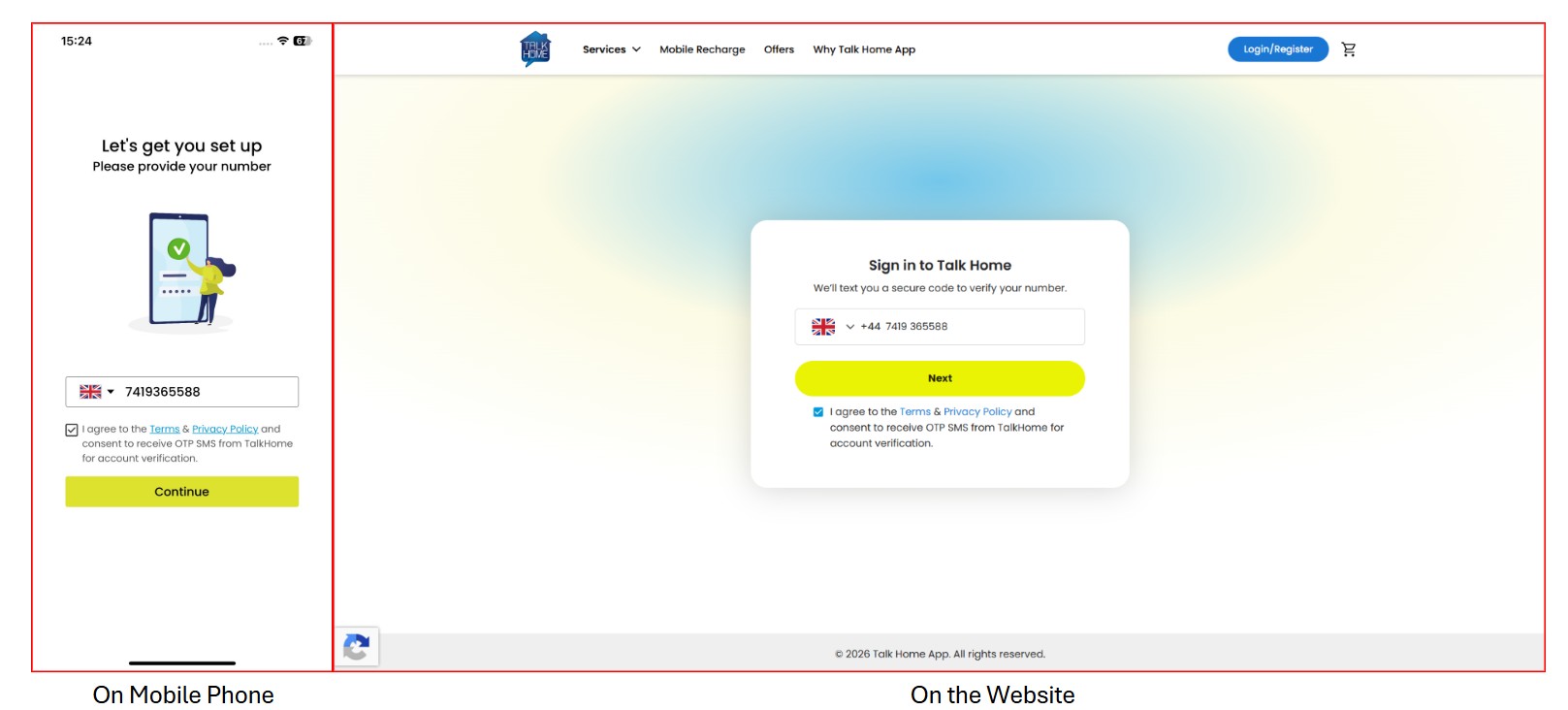
Tick the checkbox to agree to the usage terms and privacy policy.
Step 3: Tap Continue
Once your number is entered and the checkbox is selected, the Continue button will become active. Tap it to proceed.
Step 4: Confirm your number
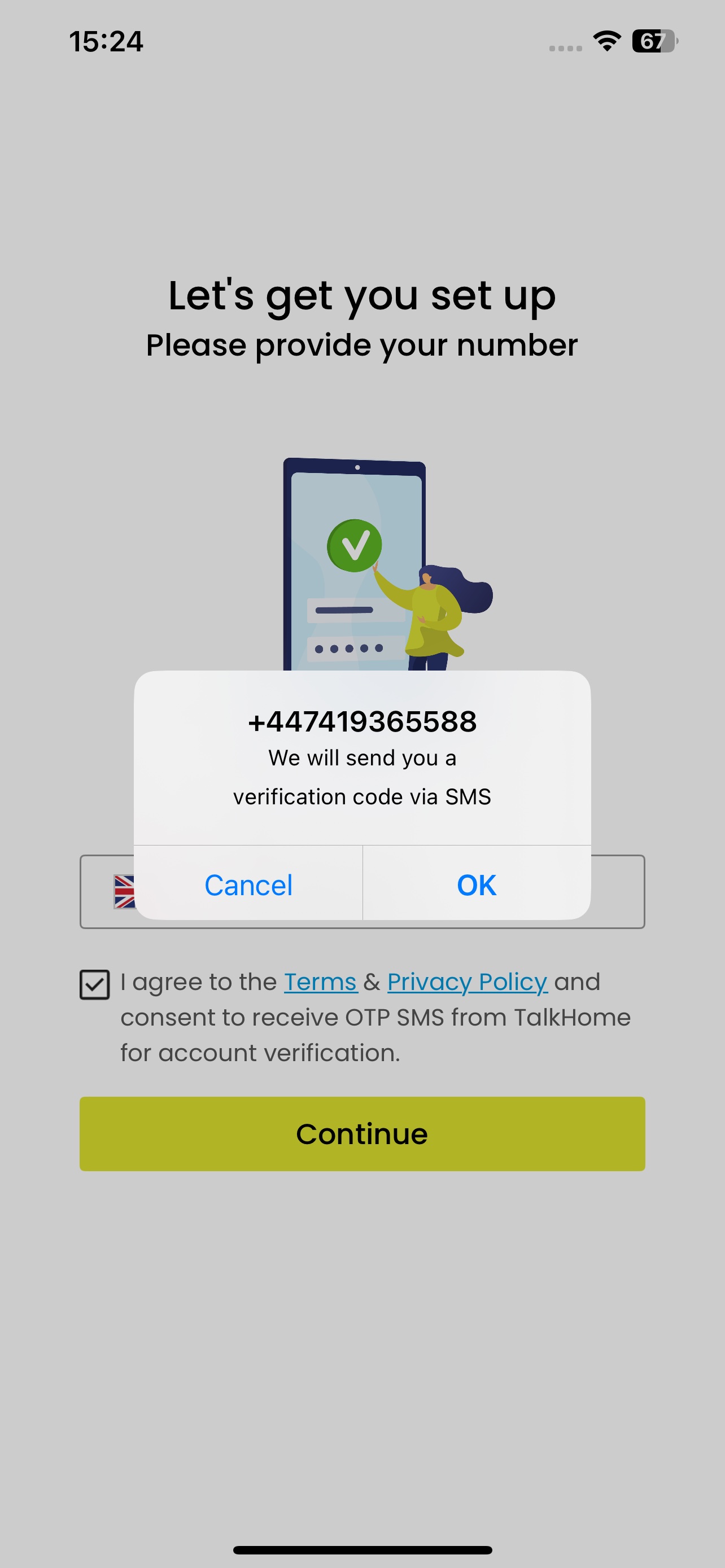
A confirmation pop-up will appear showing your mobile number (Only on mobile phone).
Check the number carefully, then tap OK.
Tap Cancel if you need to change it.
Step 5: Enter the verification code
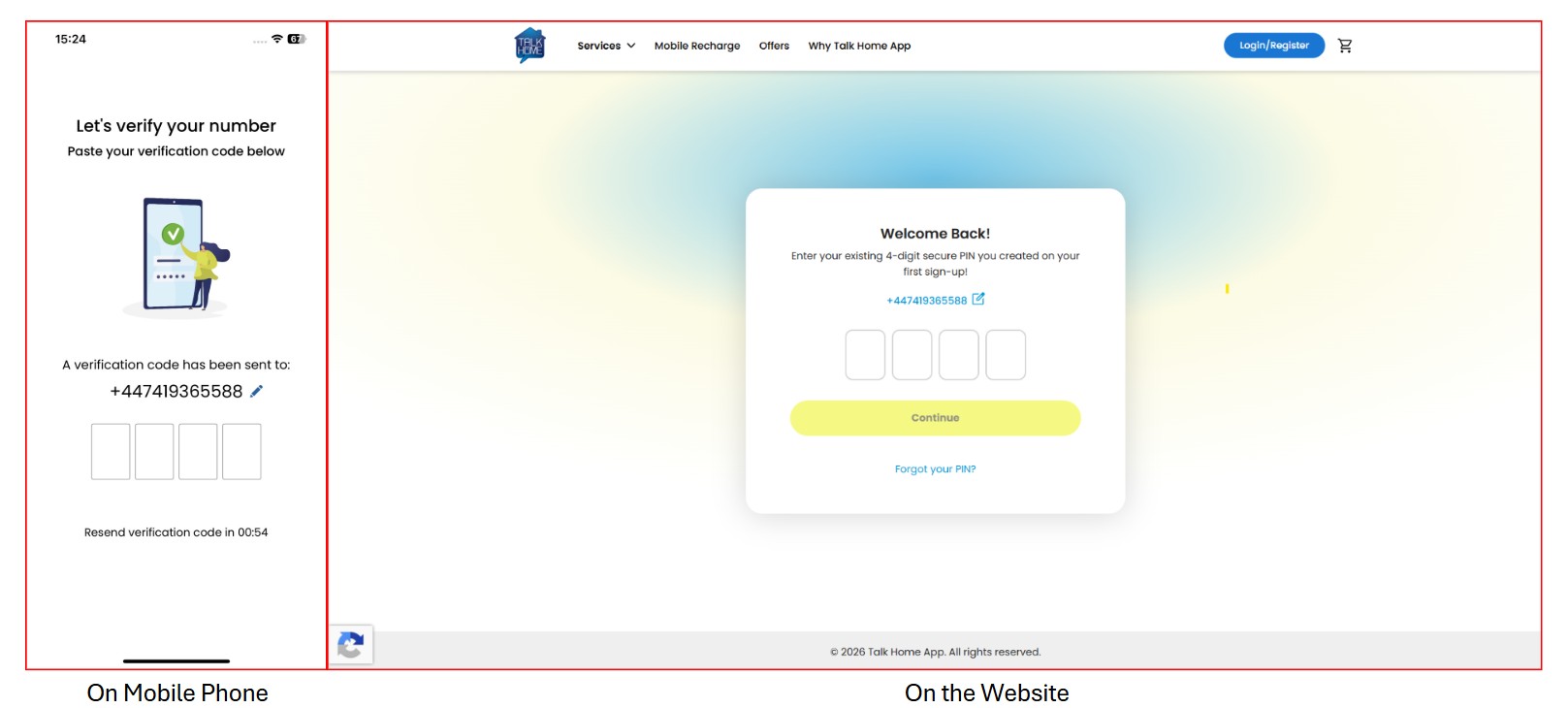
Talk Home will send a verification code by SMS. Enter the code into the boxes shown on the screen.
Step 6: Edit or resend if needed
If the number is wrong, tap the small edit icon next to your number.
If you do not receive the SMS, wait for the timer to finish and tap Resend verification code.
Was this article helpful?
That’s Great!
Thank you for your feedback
Sorry! We couldn't be helpful
Thank you for your feedback
Feedback sent
We appreciate your effort and will try to fix the article